
Settings: Repositories
Repositories are the catalogs BarkVisor uses to list available images, VM templates, and Apps.
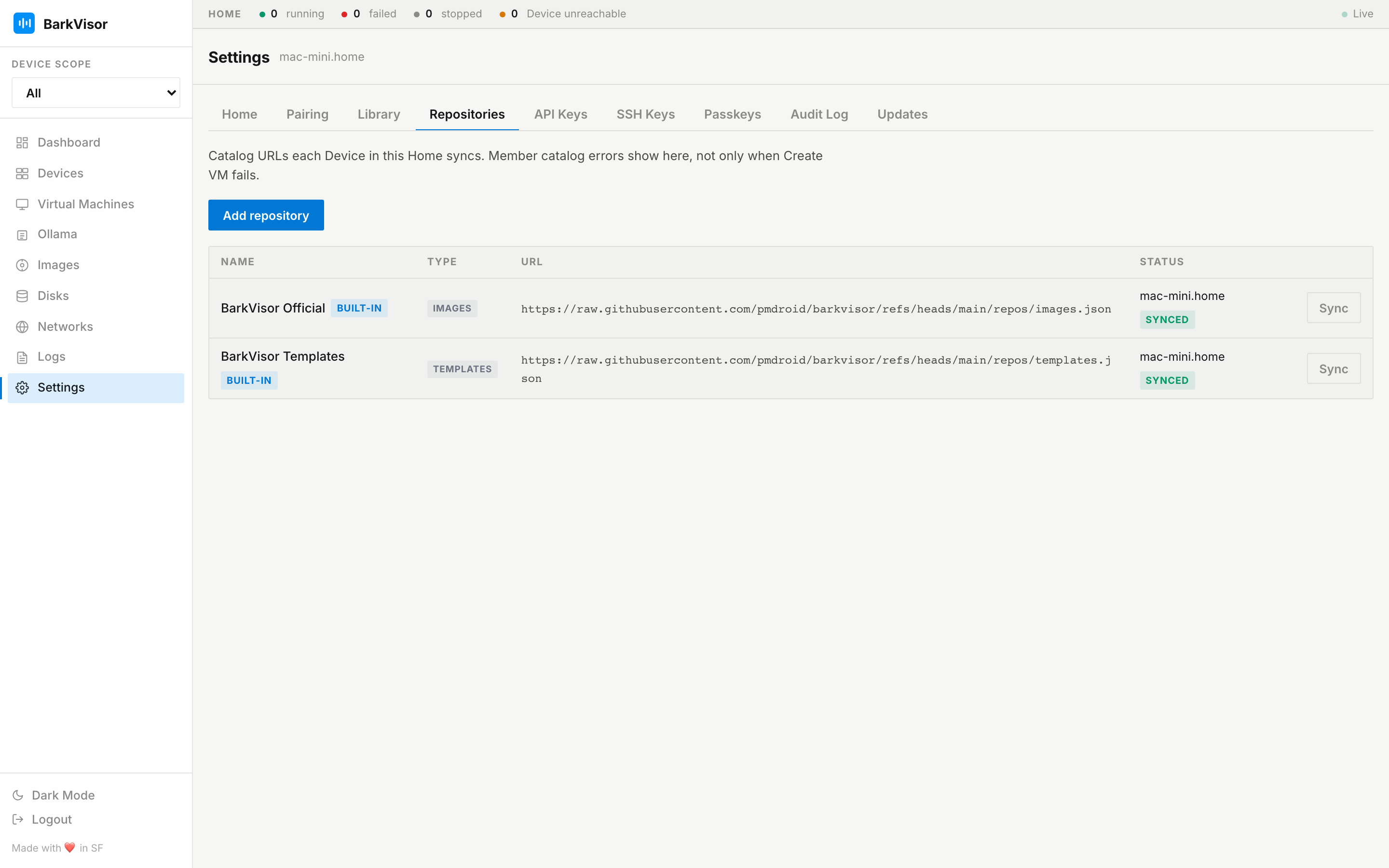
Sync catalogs
Section titled “Sync catalogs”Click Sync to refresh a catalog on this Device and reachable paired Devices. The page shows each Device’s status, last sync time, and any errors.
Built-in catalogs also sync at startup. Syncing a catalog downloads its list of items; it does not download every OS image or container image.
Add a repository
Section titled “Add a repository”Click Add repository, choose the catalog type, and enter its HTTP or HTTPS URL. Images and templates appear in Create VM; app catalogs appear in Create App.
You can remove repositories you added. Built-in catalogs cannot be removed.
Built-in App catalogs
Section titled “Built-in App catalogs”The App gallery includes Big Bear Universal Apps and LinuxServer.io. Settings displays their internal catalog addresses as barkvisor://builtin/bigbear and barkvisor://builtin/linuxserver.
BarkVisor creates those entries automatically. You do not need to add them by hand; the Add repository form accepts HTTP and HTTPS URLs only.
When a sync fails
Section titled “When a sync fails”Check the error beside the Device. Make sure that Device is reachable and can access the catalog, then try Sync again. Its last successfully synced catalog may still be available.